






Cisco XE/G2X Elite CCNA & CCNP Enterprise Titanium Plus Hybrid Kit (ENCOR & ENARSI)
CCNA 200-301 v1.1 & v2.0-Ready
✓ Optimized for the Current CCNP Enterprise Exams — and CCNA-Ready Too
This kit covers the full path from CCNA 200-301 fundamentals up through the CCNP Enterprise core and concentration, so one lab takes you across both certifications.
- Optimized for the current CCNP Enterprise (ENCOR & ENARSI) blueprint. We've built and verified this kit against the current exam requirements. With wireless now moved to Cisco's separate CCNP Wireless track, the CCNP Enterprise path focuses squarely on the routing, switching, infrastructure, and automation skills this kit is designed around — you're labbing exactly what the exams test.
- Built for CCNA too. The same hardware takes you from CCNA 200-301 through CCNP Enterprise, so you're covered across both tracks with a single lab investment.
- Real hardware is the point. Both certifications lean hard into hands-on configuration and troubleshooting — exactly what real Cisco gear prepares you for and a simulator can't fake.
Learn more about the CCNA 2.0 changes and why hands-on practice matters more than ever by reading our article here.
This is our top hybrid kit, blending IOS XE and G2 hardware to get you as close as possible to Cisco’s official recommendation while keeping the price down. Because CCNP now shares the same device count as CCNA (a three-router, three-switch topology), this single lab can carry you across multiple certification tracks — and puts your budget into fewer, higher-end devices. It’s also a lot less than the cost of a Cisco CCNA training class or boot camp, and you keep the equipment to practice on for as long as you like, even after you certify — you can even fold it into your home network afterward. The CCNP ENCOR 350-401 exam is also the prerequisite for CCIE, so completing your CCNP means you’re already building the foundation for CCIE. If you’d like to go inline with Cisco’s optional five-switch recommendation, just let us know and we’ll customize your lab to fit.
What sets this kit apart from our Titanium Hybrid Kit: this one upgrades a second router all the way up to a pair of 4331 Sec/K9s, supported by a 2901 Sec/K9 G2 router to complete the advanced topology. That gives you two routers with a perfect, seamless match to what the exam was written for, plus a third that handles nearly everything at a more budget-friendly price. The two 3650 switches run the same IOS XE code as the 4331s, so you get four IOS XE devices in total — with the 3750X rounding out the third switch, still full gigabit with excellent IOS Universal capability. It’s a great way to run two full pairs of IOS XE hardware while a supporting cast of top-tier devices keeps the overall cost down.
One Lab, Multiple Certification Paths
This is fundamentally a CCNP Enterprise kit, but it works in both directions: the same hardware fully covers CCNA 200-301 too, so whether you’re working toward CCNP first and want CCNA as a bonus, or starting at CCNA and building toward CCNP, this lab has you covered either way — and every kit includes our complete CCNA study package alongside the CCNP theory materials. Add an ASA 5505, 5510, or 5506-X and you can also work into hands-on network-security topics, extending this lab even further toward security-focused certifications and real firewall experience.
Note that a CCNA is no longer a prerequisite to sit the CCNP exam — so with the right experience or ambition, you can head straight for CCNP.
Perfect for High Schools, Universities, AP Programs & CyberPatriot Teams
This top-tier kit is an excellent fit for universities, advanced training centers, and institutions building out a full professional-grade networking curriculum — including the College Board’s new AP Computer Science Networking and AP Cybersecurity courses (see our AP Educator Guide) and CyberPatriot programs looking for the highest-end hardware. Real Cisco routers and switches give students genuine configuration and troubleshooting experience that a simulator can’t match. Educators: we accept purchase orders and can build a lab tailored to your program — see our Educational Institutions page to get started.
The Routers
We are very picky about, and very carefully screen, the 4331s we offer — we only sell reliable, clock-bug-cleared devices on permanent licensing structures. These are not random 4331s pulled off the market riddled with licensing problems, bugs, or the risk of randomly bricking on you. Cisco issued a field notice on the 4000 series regarding a clocking bug; we only sell 4000-series routers that are 100% cleared of it and not locked into SmartNet licensing problems. Don’t be fooled by sellers offering devices with known issues.
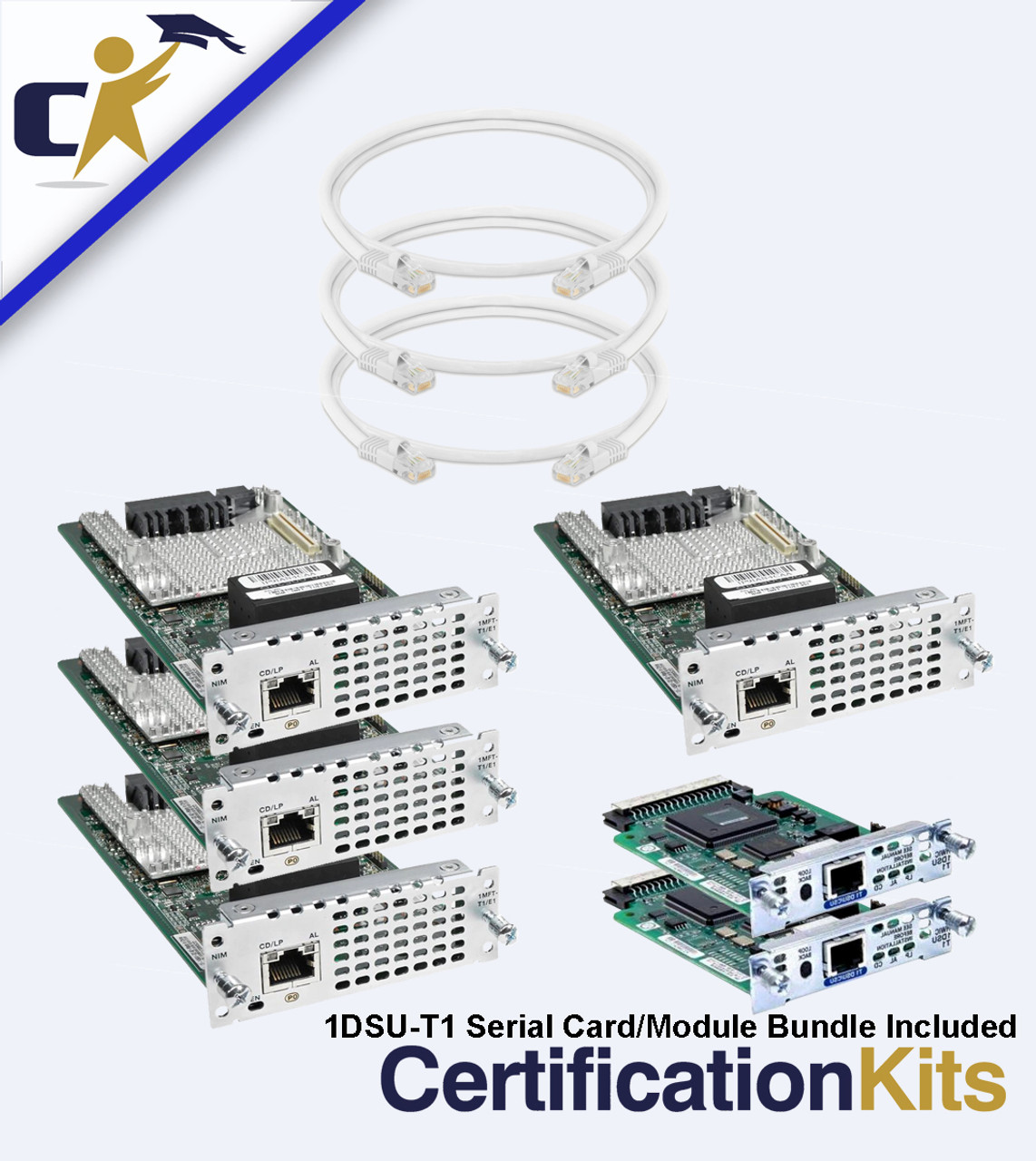
The new CCNP does recommend security licenses on your routers, and every router in this kit — both 4331s and the 2901 — ships with both the base and the permanent security license installed. The routers come installed with a total of four T1 serial ports from the NIM-xMFT-T1 modules, two more T1 serial ports from HWIC-1DSU-T1 modules, and three WIC-Serial crossover cables for your serial connections (still required for CCNP and network security), in addition to the Ethernet crossover/straight-through cables for your LAN connections.
The Switches
Let’s talk about Cisco’s official switch recommendation — the 1000 series (C1000-24T-4G-L) and 9300L. We thought long and hard about this. These switches are extremely expensive right now due to low supply and high demand, and they come with major, expensive, subscription-based licensing requirements that make them a poor fit for education. The 9300L is an even bigger jump than the 9200L, and can get so expensive that even a training academy would struggle to make its money back outfitting labs with them — multiply that cost by two to four devices for a full topology, and the number gets genuinely shocking. Why is this Cisco’s official recommendation? Largely for optics, and because the primary path to acquiring them is buying directly from Cisco along with their dramatically expensive service and DNA/Catalyst contracts — more revenue for Cisco. Capability-wise, beyond adding gigabit ports, the 1000 series doesn’t offer meaningfully more for lab purposes to justify the price jump, and for the 9300L there are far more affordable options running IOS XE that don’t require a second mortgage.
So we got creative and built a better alternative: the Cisco 3650 in place of both. It’s a high-end gigabit switch running IOS XE — matching your 4331 routers on the same platform family — well known for its reliability, proven in production environments, and commonly deployed in live networks (you’ll see plenty of these in the field for years to come). This kit comes with two 3650 IOS XE switches, paired with a 3750X. So you’ll have Layer 3 technology and gigabit ports across your entire switching topology, with enough headroom that you could even explore folding these into a home network down the road.
We screen our 3650 switches to run a full, permanent, working IOS below the version where SmartNet is technically required (not currently enforced). This works perfectly for lab and learning purposes. If you choose to update the IOS past 16.9.1, you’ll need to register SmartNet through Cisco (again, not currently enforced).
Why Real Hardware:
Real hardware will always be the best way to prepare for certification and career success. HR representatives are thrilled to see candidates who’ve worked on real equipment and have their own lab — “What does your home lab look like?” has become a common interview question used to weed out candidates who’ve never touched real gear. Simulators have spent years trying to mimic the real thing and are still full of problems and capability gaps. If you want the best edge on every front, real hardware is the way to go — and it’s an investment that pays itself off quickly if you’re dedicated.
And why buy hardware without the labs to go with it? Other companies offer generic training packages or resell someone else’s product that isn’t designed to work with your equipment. We write our own materials and have refined them for over two decades so they work directly with the gear in your kit. Nothing makes us happier than an email from a customer with a snapshot of their EXAM PASSED certificate.
Please read below for full details on the included equipment, add-on/upgrade options, and the complete training package that has been time-proven and refined since we built the first lab kits on the market back in 2000. And remember — we know all this can be a little confusing, so we’re always easy to reach and here to help with fast, friendly service.
We have worked in partnership with Cisco NetAcad instructors and CCIEs to release our kits that are ready for the CCNA 200-301 and CCNP Enterprise exams. With this large update to the certification paths, Cisco certifications are hotter and trending more than ever! Passing the new CCNP exams demonstrates that you have some of the most current, professional-level skills that are in the highest demand. We promise you — scouts and HR representatives are hunting down qualified and certified network engineers more than ever before.

All of our CCNP Lab Kits ALSO come with our complete CCNA Kit Training Package, our CCNP Primer Lab eWorkbook and our CCNA Beyond Serial Lab eWorkbook. So, your CCNP Lab will cover BOTH CCNA, CCNP and more!
-Our lab kits come with our famous and time proven CCNA Lab eWorkbook! Our labs have been proven to be the best on the market, producing thousands of certified individuals, since 2000 - over the course of over 25 years! The 200-301 v1.1 Lab eWorkbook runs about 450 pages and is jam packed full of labs! Not only do we cover the entire, official 200-301 v1.1 curriculum, but we also go beyond that by fully covering topics otherwise listed only as "describe" so you can fully implement the concept and really understand how everything works. On top of that we included labs that will be very beneficial for your real-world knowledge! Our study materials over prepare you to ensure your success! Don't just be a paper CCNA, be one that KNOWS what they are doing.
This lab eWorkbook comes in digital format on our awesome LockLizard reader. There is an option to pay a small up-charge to enable a single, one-time self-printing right so you can print this off yourself. If you go this route, we highly recommend that you use a laser printer with adequate toner and have lots of paper on hand. It is a lot of pages.
-The CCNA 200-301 v1.1 Bootcamp & Theory eBook is a completely revised, updated and power packed approach to the new Cisco CCNA 200-301 v1.1 exam. This is an 880 page guide of easy-to-understand CCNA material written in a manner that won't bore you to sleep! It not only follows the format of the official Cisco CCNA 200-301 v1.1 curriculum but even goes further in explaining other key concepts that we feel are important to prepare you for the real networking world.
-Our How & Why We Subnet Workbook is a 120 page workbook designed to walk you through the theory of subnetting partnered with enough sample and practice scenarios to have you mastering this skill in no time. This has been newly revised and now includes a bonus IPv6 section! This even includes one time self-printing rights per copy so you can follow along on paper if you prefer.
-The last pieces to this amazing bundle are our Digital Cram Sheet and Digital TCP/Study Chart. These are very similar to those "Cliff Notes" you may have used when you didn't want to read that novel for a book report. We cram these full of the important points so you can quick reference them daily or directly before your exam. Review these on your PC and even take them with you on your mobile device and use them for a cram session right before your exam. These have been a customer favorite for a long time.
With this release as well as all of the other included eBooks, we even took things a step further by upgrading to our new awesome eBook reader through LockLizard. This is the same engine that Cisco actually uses to protect and distribute their corporate documents. This makes it extra cool because it is a format you will see in the field as a working network engineer. This new ebook reader works on multiple platforms such as PC, MAC, IOS, Android, etc. We include 2 activations with each purchase so you can install it on a desktop AND a mobile device, for example. On top of that you can highlight, make notes and work directly with your document. We know you will love it!
Please feel free to check out a demo selection from our new Bootcamp & Theory ebook and/or the Static Routing Sample Lab from our Lab eWorkbook:
1. Download and install the LockLizard viewer for your IOS and device type from this link: LockLizard Viewer
2. Download and install the License file for the eBook: License File
(If you don't see it open, the window for the license file may pop-up behind your active windows)
3, Download and open the .Pdc eBook file: Theory eBook File / CCNA Lab Workbook Sample Lab
The download and install are very straightforward and simple, but if you get stuck, please click here for a help guide on opening your eBook demo or official purchase. Upon purchase a unique license file and a .pdc file will be emailed to you,
Below is a listing of the kit with its standard selections to which you can select any of the add-on or upgrades options - described in further detail below.
Hardware Included:
- Two 4331 Sec/K9 Security Licensed Routers IOS 16.09.04.SPA Capable
- One 2901 Sec/K9 Router Security Licensed ISR G2 512/256 (includes base and security licenses) routers IOS Universal 157-3.M8
- Two 3650 Gigabit IOS XE Switch Single AC
- One 3750X Series Fully Dynamic, True Layer Three 24 port Gigabit with 15 Universal 15
- NIM-xMFT-T1 totaling 4 serial ports across one or two modules
- Two HWIC Smart Serial Cards (Totaling 2 Smart Serial Ports)
- Three WIC-Crossover Cables
- Four Ethernet Patch Cables
- Eight Ethernet Crossover Cables
- Cisco Console Kit
- Power Cords
Additional Items Include:
- 999 Page CertificationKits CCNP ENCOR 350-401 Boot Camp an Theory eBook
- 991 Page CertificationKits CCNP ENARSI 300-410 Boot Camp and Theory eBook
- CCNA Beyond: CCNP Primer Lab eWorkbook
- CCNA Beyond: Serial Lab eWorkbook
- OUR CCNP KITS ALSO INCLUDE ALL OF OUR CCNA STUDY MATERIALS! MULTIPLE CERTIFICATIONS IN ONE KIT!
- 450 Page CCNA 200-301 v1.1 Lab eWorkbook Covering 60+ Labs Plus Bonus Labs That Go Beyond the Scope of CCNA For Extra Real World Experience! ($57.99 value)
- 880 Page Bootcamp & Theory eBook that covers every 200-301 v1.1 CCNA Topic Plus More! ($49.99 value)
- How & Why We Subnet eWorkbook ($24.99 value)
- Two Practice Exams. Both with 101 Questions, Answers and Explanations ($15.98 value)
- Digital CCNA CRAM Sheet ($14.99 value)
- Digital TCP/IP Study Chart ($9.99 value)
- CertificationKits TFTP Server
- CertificationKits Subnet Calculator
- 33 CCNA Instructional Videos
- Cisco Network Assistant
- Cisco Router Password Decryptor
- Cisco VPN Client 5.0.04.0410
- Port Scanner nmap-7.80
- npcap-0.9987 & WinPcap 4.1.3
- WireShark
- TeraTerm & Putty Terminal Emulators
- VirtualBox
- IOS Backup as noted above for the routers and switches
- Cisco Configuration Professional (CCP) 2.8 for 1841/2800 Series Routers
As an added bonus, for a limited time, anyone who purchases a CCNP kit will also receive a free copy of our new 150+ page Beyond CCNA Serial Lab Workbook. ($29.99 Value) This will allow you to explore a larger variety of serial connection and prepare you for additional technologies you may encounter in the field.

Optional Smart Serial Cards & Cables Bundle Includes:
NIM-xT module/s totaling four smart serial ports across one or two cards
Two HWIC smart serial ports across one or two cards. (1) HWIC-2a/s or equivalent
You will total six smart serial ports with the smart serial option
Three Smart to Smart Back-to-Back Serial Cables
***Why should you consider going with the Smart Serial Option over the 1DSU-T1 option***
The HWIC-1DSU Serial cards and NIM-MFT-T1 Modules are a great, budget friendly option for lab purposes and in this case a vey good pick because the smart serial option for the 4xxx series are a pricey upgrade. However, if your budget allows, we always recommend upgrading to the Smart Serial HWIC cards / NIM Modules and Smart Serial-to-Smart Serial cables. Smart serial is a more current technology that offers a faster DCE/DTE connection that will also use the same clock rate command you will see when you see serial connections on Cisco exams. Once again, the T1 Serial cards will work just fine (there is a small work around that you will need to explore), but if you want to be the most up to date and want the clock rate commands to match identically like you would see when you are sitting an exam, the smart serial upgrade is an excellent choice.
The G2 Router Upgrade Option provides you with a wide range of models across the series. The default selection on of the G2 router here is the 2901 Security License, which in many ways is our techs favorite without moving up to the 4xxx series. The 2901 brings the modules slots up from 2 slots to 4, is capable of accommodating voice hardware/capability and runs on the IOS for the 29xx. Another option is the 2911, which is the largest/heaviest unit (shipping is a little more for these because of the added weight) and also because it is a 2U device. The 2911 has the most expansion options with additional module NIM slots, 4 HWIC slots and can also accommodate voice hardware upgrades. All of these are available to be upgraded with the security license option. This is a permanent license that adds to the base license and is pre-installed and unlocks a lot of additional capability and security features. The 2901 and 2911 are additionally available as the V/Sec licensed model. This is Base + Security + UCK9 (voice). This is a good option if you also want to explore voice topics in the future and want your device full featured.
The Optional Wireless Access Point Option comes with an 1142 Wireless AP and the power brick for the unit. Once again, you do not need this to get through the wireless component of the 200-301 v1.1 exam. However, this is a pretty cheap add-on that will give you an opportunity to expand your knowledge past the exam. There is nothing wrong with being a little over-prepared!
*If you are looking for a deeper dive into studying wireless topics, we would recommend taking a look at our Wireless Lan Controller and Dual AP Pack. This pairs a well known and reliable WLC with a couple of APs so you can tinker with plenty of wireless scenarios and configurations.
The Supplemental CCNA Training DVD is about 22+ hours of extra CCNA level training in a video format. Do you need this to pass your exam? Absolutely not because all the training your need is already included with your kit! This DVD does cover a lot of legacy material and is not entirely up to date, however it still has a great deal of very useful knowledge that every engineer should know and will run into on the job. We used to sell this DVD for a few hundred dollars, but have priced it super affordably for those who want to widen the scope of their curriculum. There is still a lot of overlap here with the current exam, so you will get a lot of topics covered that are on there, just not every topic.
The FTDI Console Cable Upgrade swaps out the classic console cable for this new solution to complete your console connection. This is our newest option for your console connection. This cable has the new FTDI chip installed and eliminates the need for both the classic console connection and the USB-Serial Adapter! It goes directly from USB to RJ-45! Another great bonus to this, from our testing, is that it has a near perfect success rate in the break sequence working! (used to reset the router, password recovery, etc). This is a big bonus because the converters can be a bit of a pain in that department. All around, this is an excellent addition to any techs tool box! *If you do not have a 9-Pin serial port on your computer (most modern computers do not) or a USB-to-Serial converter, you will need this to complete your console (management) connection. We highly recommend this.
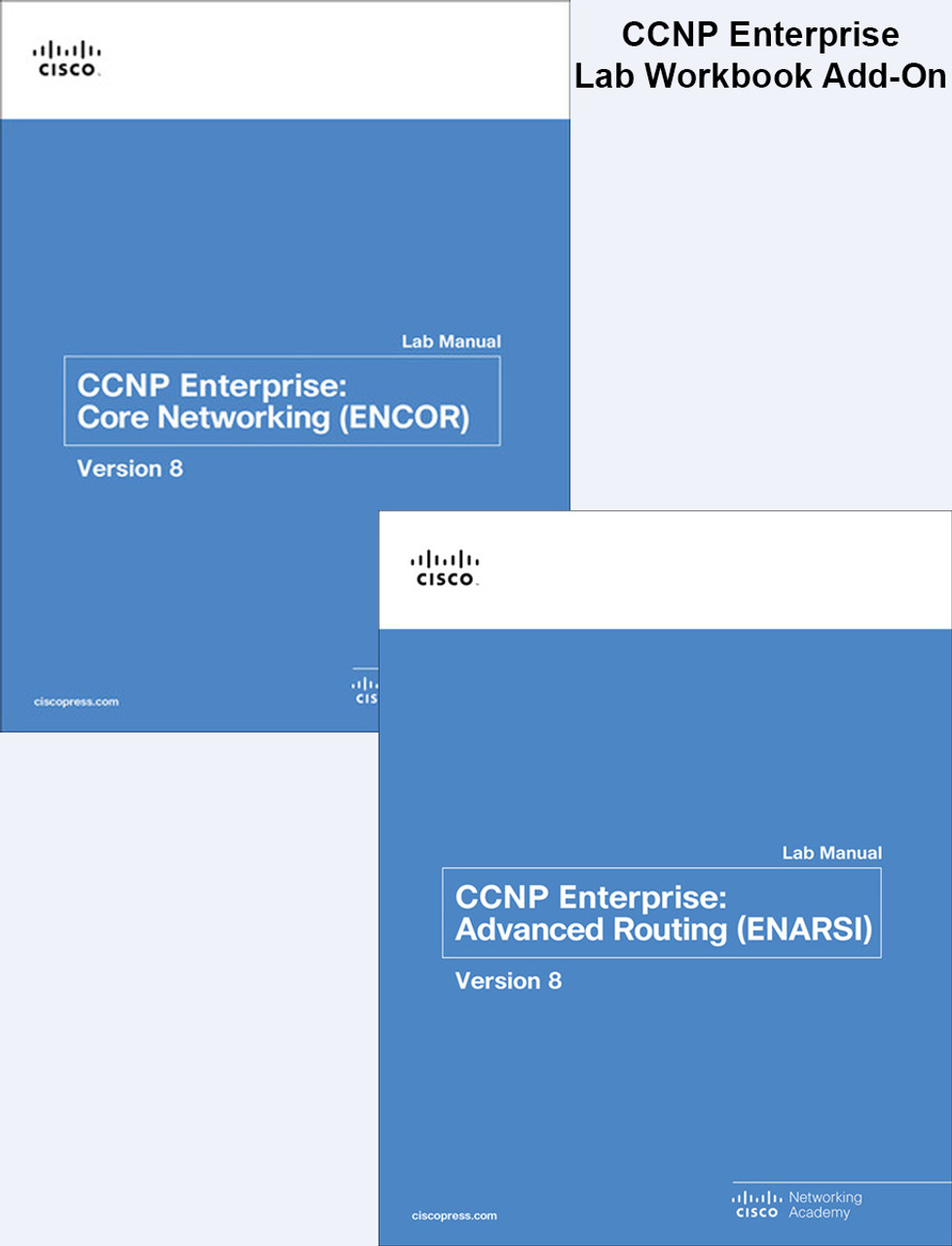
The CCNP Encore & ENARSI Lab Workbooks cover all of the labs you will need for both parts of the CCNP Enterprise Certification. For more information and a full list out of the curriculum see the individual listing for these on our site here.
The Access Server is purely a convenience tool and not a requirement for your exam. While these are common device types in data centers everywhere and a great thing to have knowledge of, they are not a requirement to pass your exam. However, if you don't want to physically move a cable every time you change devices, have an interest in remote access possibilities, or want to broaden you knowledge, an access server is a great device to have in your kit! All of our 2509 and 2511 access servers sold with kits also now come with the transceiver add-on so you can get the device on the LAN, perform upgrades/recovery and explore remote access capability. The new Access Server Conversion Kits options are composed of a 2811 256/64 router and HWIC-16A module. There are two options. One with (1) 8 connection octal and one with (2) 8 connection octals (16 connections). More on access servers here.
Rack Options: You can see our Rack options in the slide carousel images above. We aim for a modular solution. Choose no rack and stack on a desktop, buy just the rack-mount kits if you already have a rack, or select one of three rack options (all bundled with rack mounts when purchased with a kit):
- Rack Mounts Only — the brackets to bolt your devices into a rack you already own.
- The Basic Rack is the simplest option. This is a more organizational solution versus the heavier duty deluxe rack options. This works great as a simple desktop rack on smaller labs where you don't plan on adding an incredible amount of weight.
- The 12U Mini Deluxe This is a customer favorite rack option and a sturdier option for your lab over the Basic Rack. For most CCNA and Cisco labs, you are only using 6U of space in your rack, so the 12U Mini Deluxe will give you plenty of space with expansion options for a budget friendly price. If you plan on adding larger units, PDU, shelves, etc. then the 12U mini provides a couple extra slots
- 16U Deluxe - This is the full heavy-duty option! This rack is a professional grade rack that comes with wheels and extra room for expansion. This rack is also nice because it stands taller than the other racks, bringing the equipment higher to chair level if placed on the ground.
This is a complete Cisco certification kit and much more than just the hardware to build a lab. Obviously we include the hardware you need, but we also include ALL of the study material you need to pass your exam in one kit. No other kit on the market offers such an in-depth solution that will have your prepared from every angle!
*Due to high demand and our policy to only offer devices clear of clock bugs and SmartNet locks, in some cases, large scale orders on XE kits may have a short lead time* Please feel free to reach out if you have an inquiry.
Please note that it is company policy not to alter the IOS of any internal flash device. We provide an IOS backup disc for educational purposes that will have backups of the IOS mentioned in the kit description. These are for educational training and recovery purposes.


